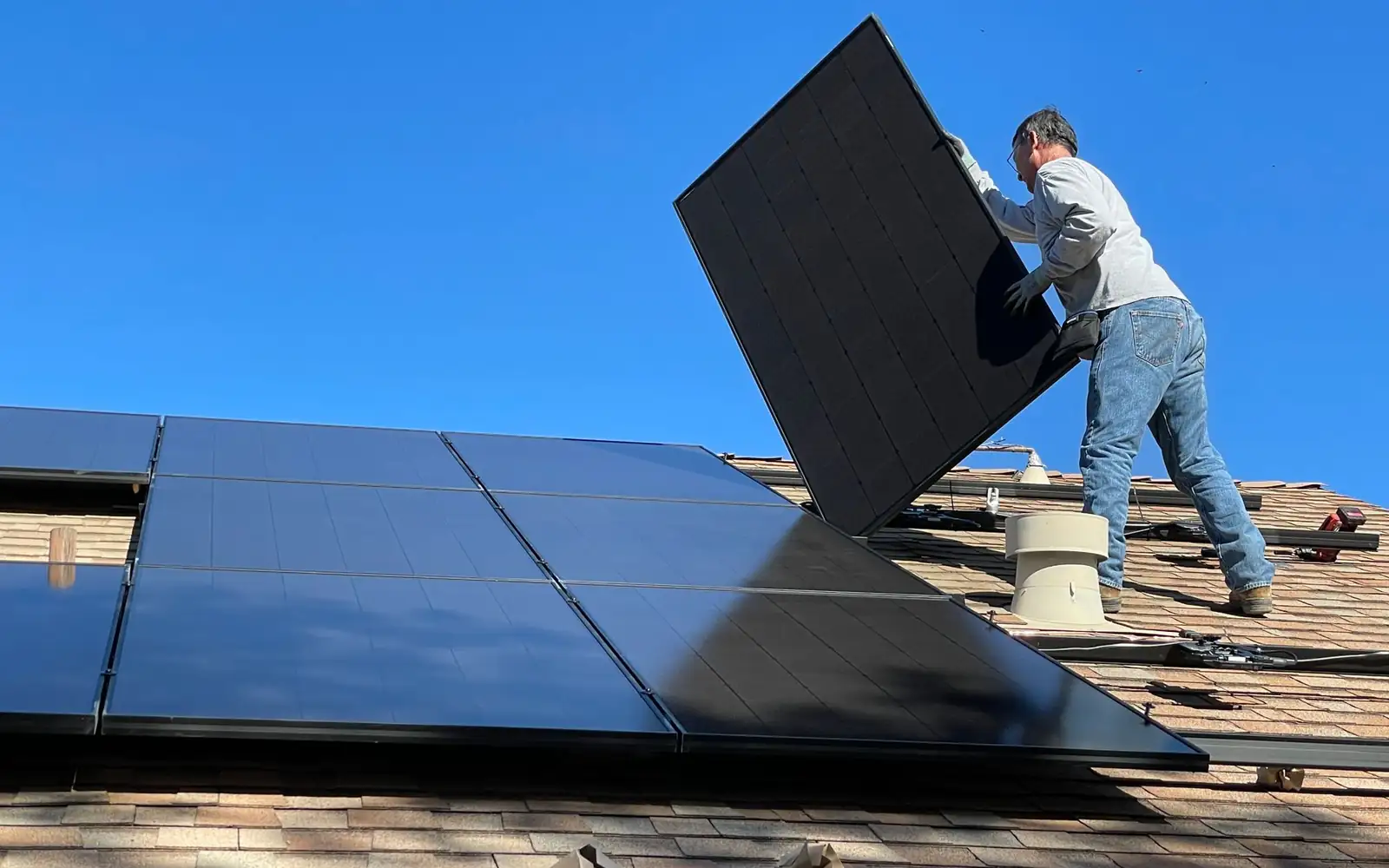
An installer setting a black solar panel onto a shingle roof

Know what every job made.

Job planning and job profit tracking for solar installers, solar subs and roofers. Jobmetry plans the week, puts each person's day on their phone, records the hours at the address, and sets the real cost against the contract price.

In daily use at a Connecticut solar installer · Early access open

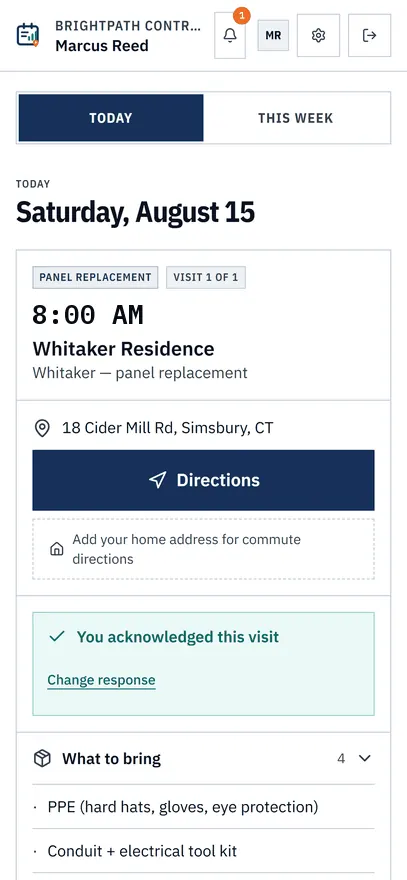
The crew app's Today screen: the visit, address, Directions button and acknowledgment
Demo data · Brightpath Contracting

One finished job · Whitaker Residence · rip and replace, 28 squares

$9,966.05Contract
$2,286.26Labor, 47.0 h
$5,011.05Expenses
$2,668.74Job profit
27% margin

Demo data from Ridgeline Roofing, the company we use in roofing demos. Labor is priced at each person's burdened rate on the day they worked.

Free live demo15 minutes on a demo company with five months of finished jobs.
No feature tiersJob costing and everything else on every plan.
Free data importSend us your customers, jobs and crew. We set it up for you.
First office seat freePay for the people in the field, not for yourself.

What it does

Three things most crew software leaves out, or charges extra for.

01 / Job costing

Profit per job, from real hours and receipts

Hours come from check-ins on site, priced at each person's burdened rate on the day they worked. Approved receipts are added. The contract price sits on top.

Job costing →
02 / Crew day sheet

Each person's day, on their phone

The address, directions, what to bring, the checklist and the photos to take. They check in when they get there and out when they leave. No dollar figures anywhere.

Crew day sheet & time →
03 / Partner booking links

Let the companies you sub for book your open days

Send each partner its own link and code. They see which days are open or full, and send a booking request. You approve it, and the job is on your schedule.

Partner booking links →

How a week runs

A job is not a visit.

A two-day install is one job with two visits. Each visit has its own date, people, hours, photos and checklist. The money adds up on the job. Everything else in Jobmetry follows from that split.
Plan the week on one board

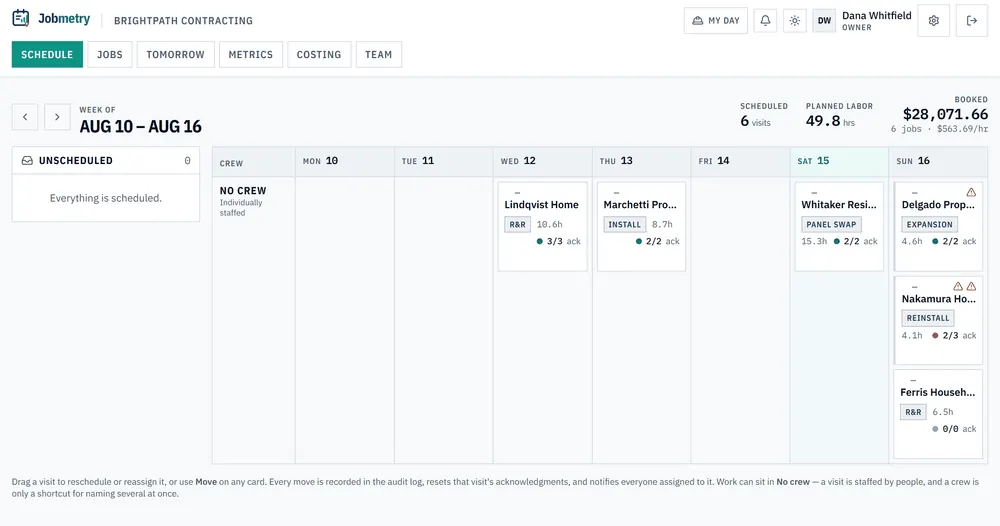
  • Crews down the side, days across the top. Drag a visit to move it.
  • Moving a visit tells everyone on it and asks them to acknowledge again.
  • The header shows hours planned and the contract value booked for the week.
Jobmetry schedule board with a week of solar visits across the days
Demo data · Brightpath Contracting

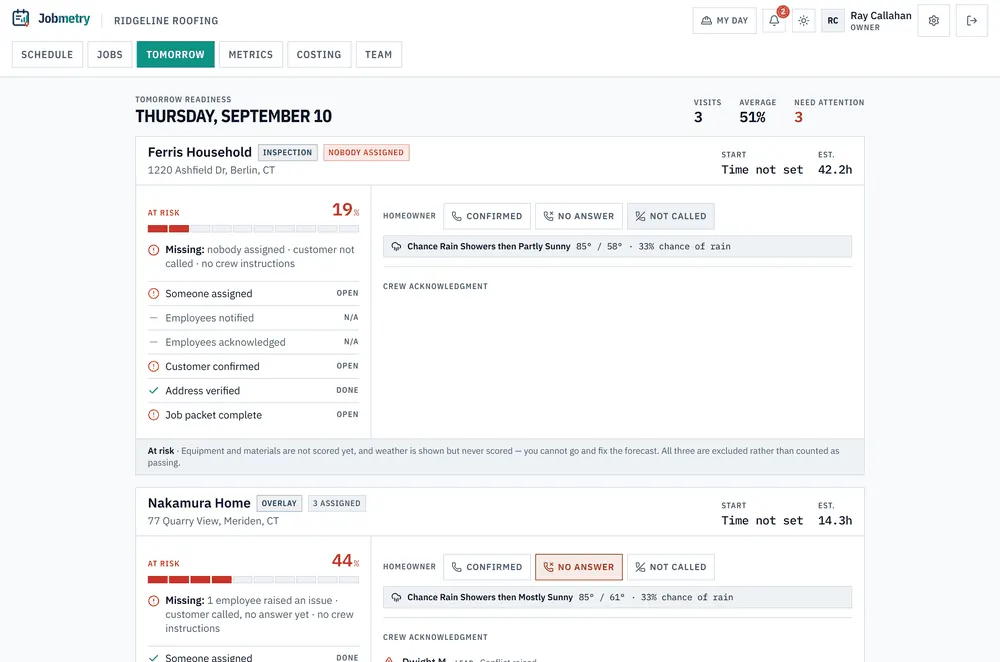
Check tomorrow the night before

  • Every visit for tomorrow, scored and sorted worst first.
  • Nobody assigned, homeowner not called, crew hasn't acknowledged, no instructions: each one shows up as a gap you can fix tonight.
  • The weather forecast is shown but not scored. You can't fix rain.
Tomorrow readiness screen listing visits with a readiness score and missing items
Demo data · Ridgeline Roofing

See what each job made

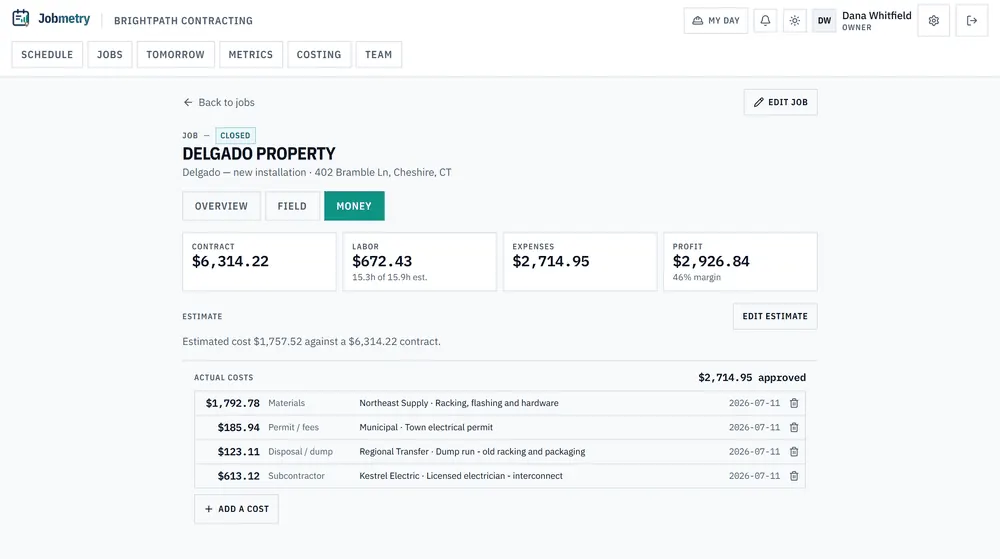
  • Contract, labor, expenses and profit on every job.
  • Costs a crew member reports from the field wait for your OK before they count.
  • The costing ledger only shows finished work, so a job that hasn't started can't look like 100% margin.
Money tab of a job showing contract, labor, expenses and profit
Demo data · Brightpath Contracting

Everything on every plan

More included. No upper tier to unlock.

Other crew software often keeps job costing for its higher plans. Jobmetry has one plan, priced per seat, and every company gets all of it.

What it doesn't do: quotes, invoices or card payments. Keep using whatever you use for those today.

  • Job costingContract against burdened labor and approved expenses, per job.
  • Crew day sheetsEach person's day on their phone: address, directions, what to bring, notes.
  • Time tracking per visitCheck in and out on site. Hours land on the job they were worked on.
  • Costs hidden from crewsWages, contract values and profit never reach a crew login.
  • Trade checklistsReadiness, safety and finish-up lists for solar and roofing, with required photos.
  • Job photosSorted by type (before, damage, completed, sign-off) and kept on the job.
  • Partner booking linksShare open days with the companies you work for and take their bookings.
  • Tomorrow readinessEvery visit for tomorrow, scored, worst first, the evening before.
  • Field cost reportsCrews photograph a receipt; you approve it before it counts.
  • Job metricsHours per panel or per square, estimate against actual, revenue per hour.

Built for your trade

Same app, your words.

Solar companies get panels, removal and reinstall, and hours per panel. Roofers get squares, tear-off and dry-in, and labor hours per square. Job types, fields and checklists come set up for the trade.

Solar installers

Installs, R&R and service calls

Readiness checks for permits, interconnection and equipment. Hours per panel by job type.

For solar installers →
Solar subcontractors

Installing for several dealers

Share open days with each dealer, take their bookings, and see which jobs paid.

For solar subs →
Roofing contractors

Repairs, overlays and full tear-offs

A 15-item finish-up list written for a roof, and labor hours per square.

For roofers →

Run another crew trade? If your people go to a different address most days, it will likely fit. Ask us.

Getting started

We do the setup. You keep working.

There's no self-signup yet. Every new company is set up by us, so nobody starts with an empty screen.

  1. Book a demo15 minutes on a live demo company. We show you a real week: the board, tomorrow's gaps, a job's money and the crew's phone.
  2. Send us your dataCustomers, jobs and crew, from a spreadsheet, a CSV or an export from the tool you use now. We import it for you, free.
  3. Add your crewEach person gets their own sign-in on their phone. They see their day, not your numbers.
  4. Run a weekBy the end of the first finished job, you see what it made.

See it on a real schedule. 15 minutes.

We walk you through a demo company with five months of finished jobs, and answer your questions on the way. Bring your own numbers if you like. No slides, no pressure.